Part 2: Share It Safely
Chapter 6: Burn
What it does. Burn turns a message or a photo into a link that can be opened only once. Your content is locked in your browser before it leaves your device. When the other person opens the link, they see it, and it's permanently deleted from the server. Nobody needs a password: the key to open it is part of the link itself.
When to use it.
Sending a password, a door code or an account number without leaving it in someone's chat history.
Sharing a private photo, like an ID scan for a booking, that you don't want stored in an inbox forever.
Sending the password for a file you locked with Encryption 1, separately from the file.
Burn needs the internet. Unlike the rest of the Suite, Burn has to reach the server at encryption-one.com, because that's what makes the link work exactly once. The server only ever holds scrambled data. It never has the key, so it can't read your message or see your photo.
The page has two tabs: Message and Photo. (On some language pages, only Message is offered for now.)
Sending a message
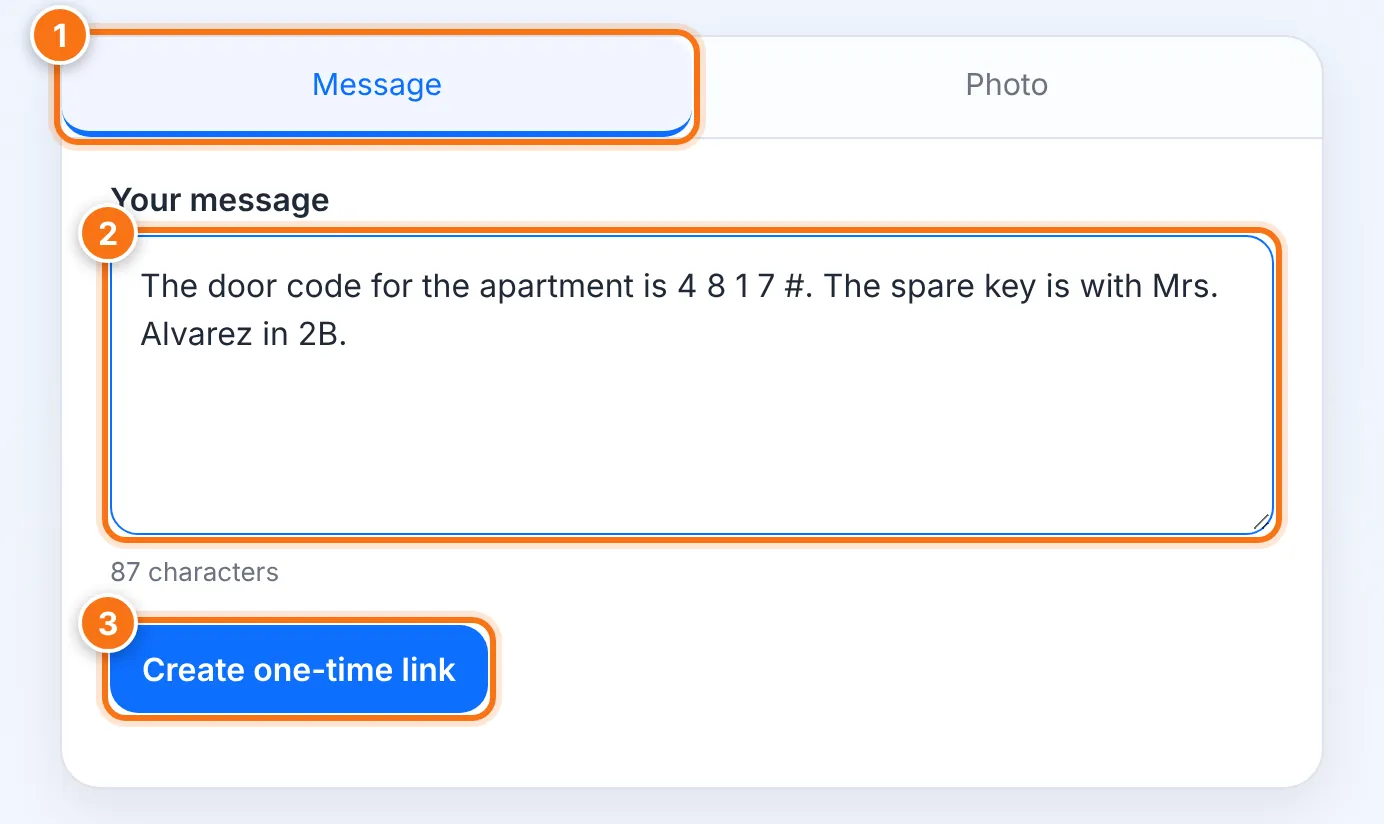
Choose the Message tab.
Type in Your message.
Press Create one-time link.
Press Copy link, and send it to the person by email, chat or text.
This is the only time the link is shown. It isn't saved anywhere, including on this page.
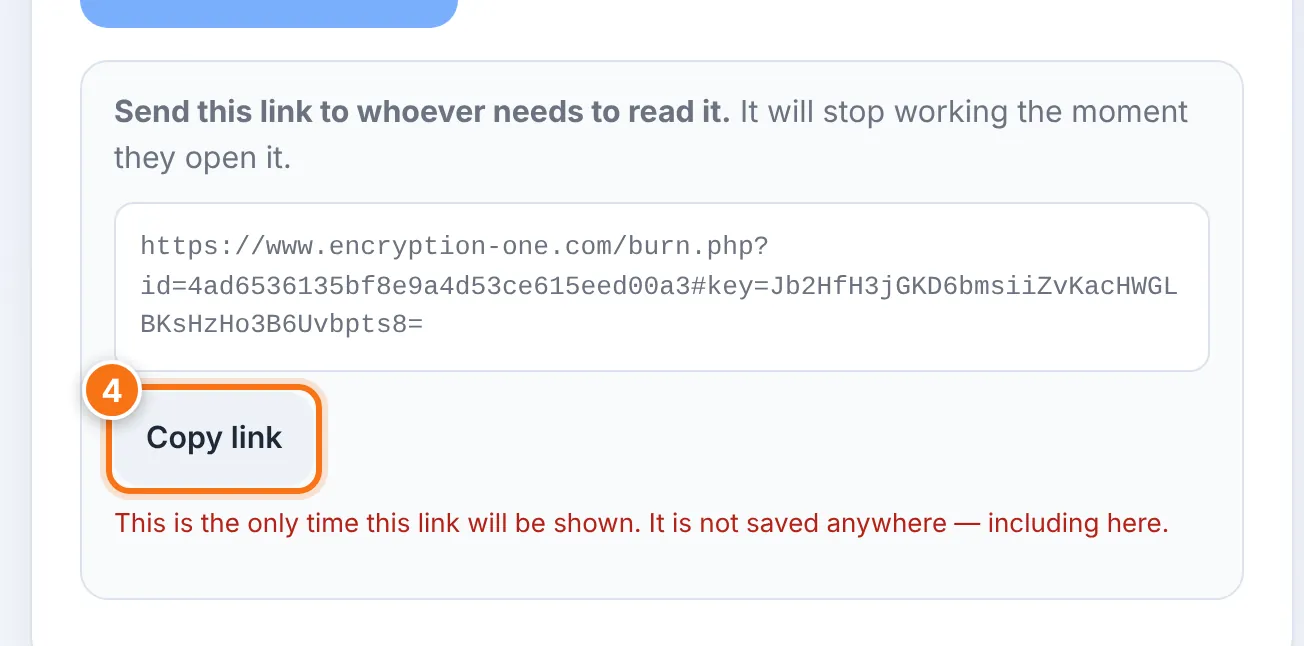
Sending a photo
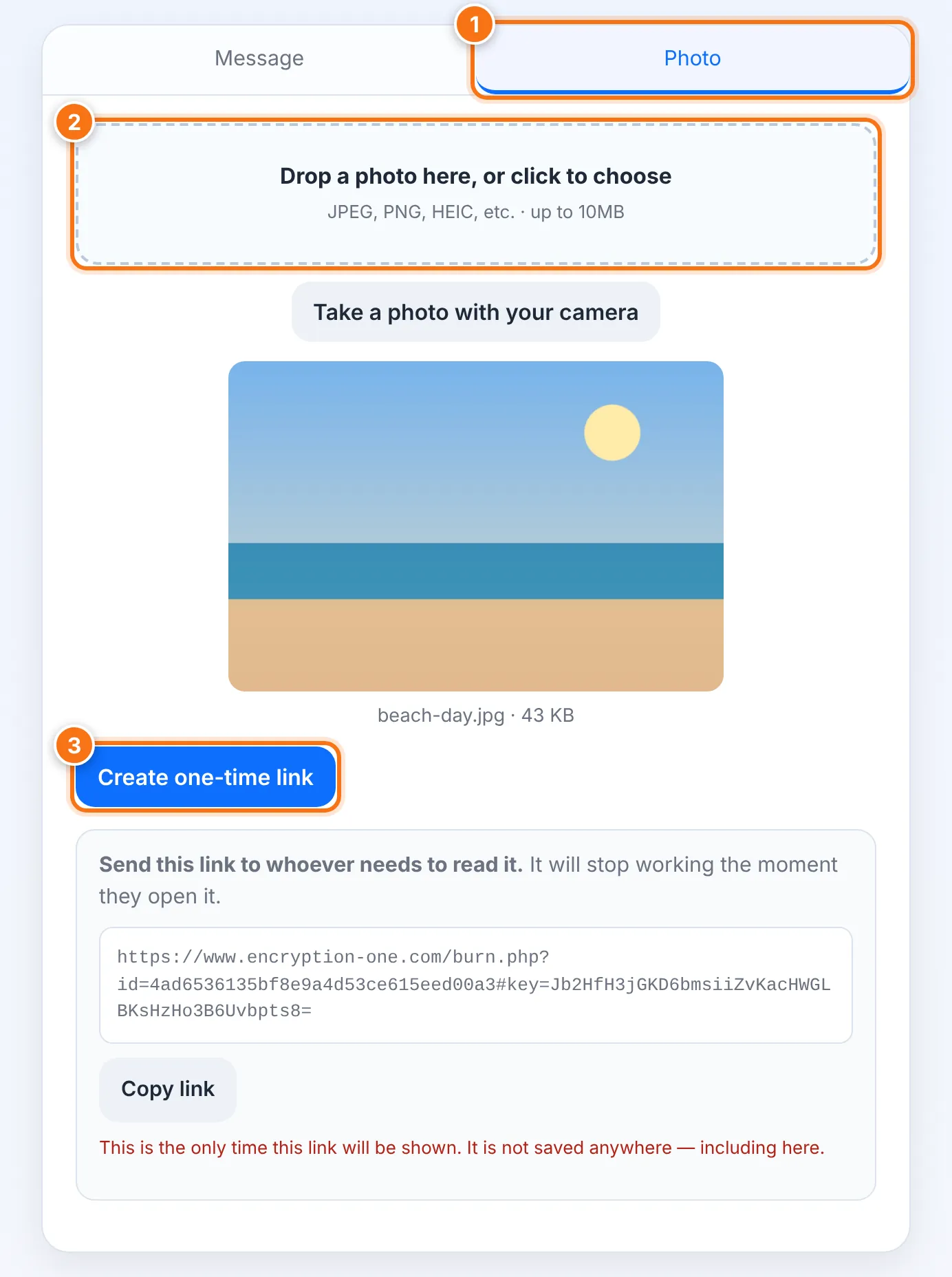
Choose the Photo tab.
Drop a photo onto the box or click to choose one, up to 10 MB. On a phone or a computer with a camera, you can also choose Take a photo with your camera, then Take photo.
Press Create one-time link, then Copy link and send it.
Tip: before sharing a photo, run it through Scrub to remove its hidden location and camera details.
Opening a Burn link
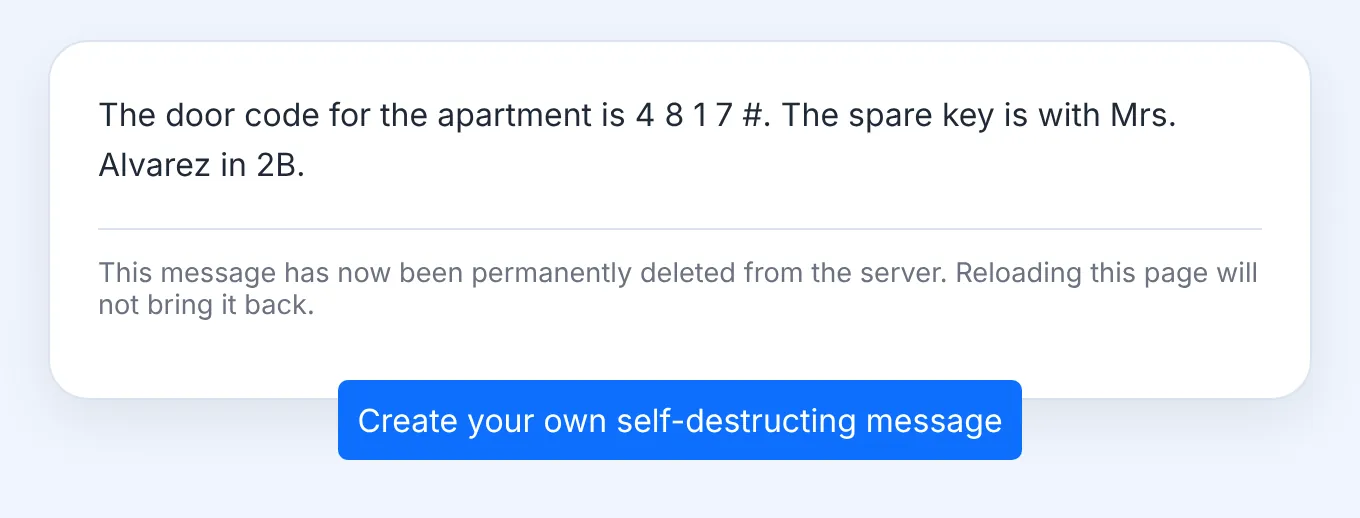
Open the link. The page says you're reading a one-time message.
The message or photo appears. For a photo, you can use Download photo.
Read it carefully, or copy what you need. Once you leave or reload the page, it's gone for good.
How long a link lasts
| Situation | What happens |
|---|---|
| The link is opened | It's deleted from the server at once. It can't be opened again. |
| Nobody opens it | It's deleted automatically after 7 days. |
What it does not do
It can't stop the reader from keeping a copy. They can take a screenshot, copy the text or simply remember it. Burn makes sure the content doesn't sit on a server forever. It can't control what a person does with what they've seen.
It doesn't tell you when the link was opened, or by whom. If someone else opens it first, your reader will see "already read". Ask them to let you know they got it.
It doesn't work offline.
Common problems
| Problem | What to do |
|---|---|
| "This message has already been read or no longer exists" | Someone opened it already, or 7 days passed. Ask the sender for a new link. If you didn't open it yourself, someone else may have, so the sender should treat the content as seen. |
| "This link looks incomplete" | Part of the link was cut off when it was copied or sent. Nothing was used up. Ask the sender to send the full link again. |
| "Burn needs an internet connection" | Connect to the internet. The page updates by itself as soon as you're back online, and nothing you typed is lost. |
| "This photo is … over the 10 MB limit" | Choose a smaller photo, or send a smaller copy. |
| "The camera is blocked" | Allow camera access for this site in your browser settings, or choose a photo instead. |