Part 2: Clean It Before It Leaves
Chapter 11: Reveal Beta
Beta. Reveal is in public beta testing. Its wording and extra features may change. If something doesn't work as described, please tell us through the Contact & Bug Reports form.
What it does. Reveal shows you what's really inside a piece of text. Scammers use tricks you can't see on screen: invisible characters, letters from other alphabets that look exactly like ours, file names displayed backwards, and web addresses that only look like a company's. Reveal finds them, explains them in plain words, and makes a clean copy. Nothing is sent anywhere, and no link is ever opened.
When to use it.
An email or message that asks you to verify your account, sign in or pay now.
An attachment whose name looks odd, such as an "invoice" that might really be a program.
Text copied from a website or a document that behaves strangely when you search or paste it.
Checking text
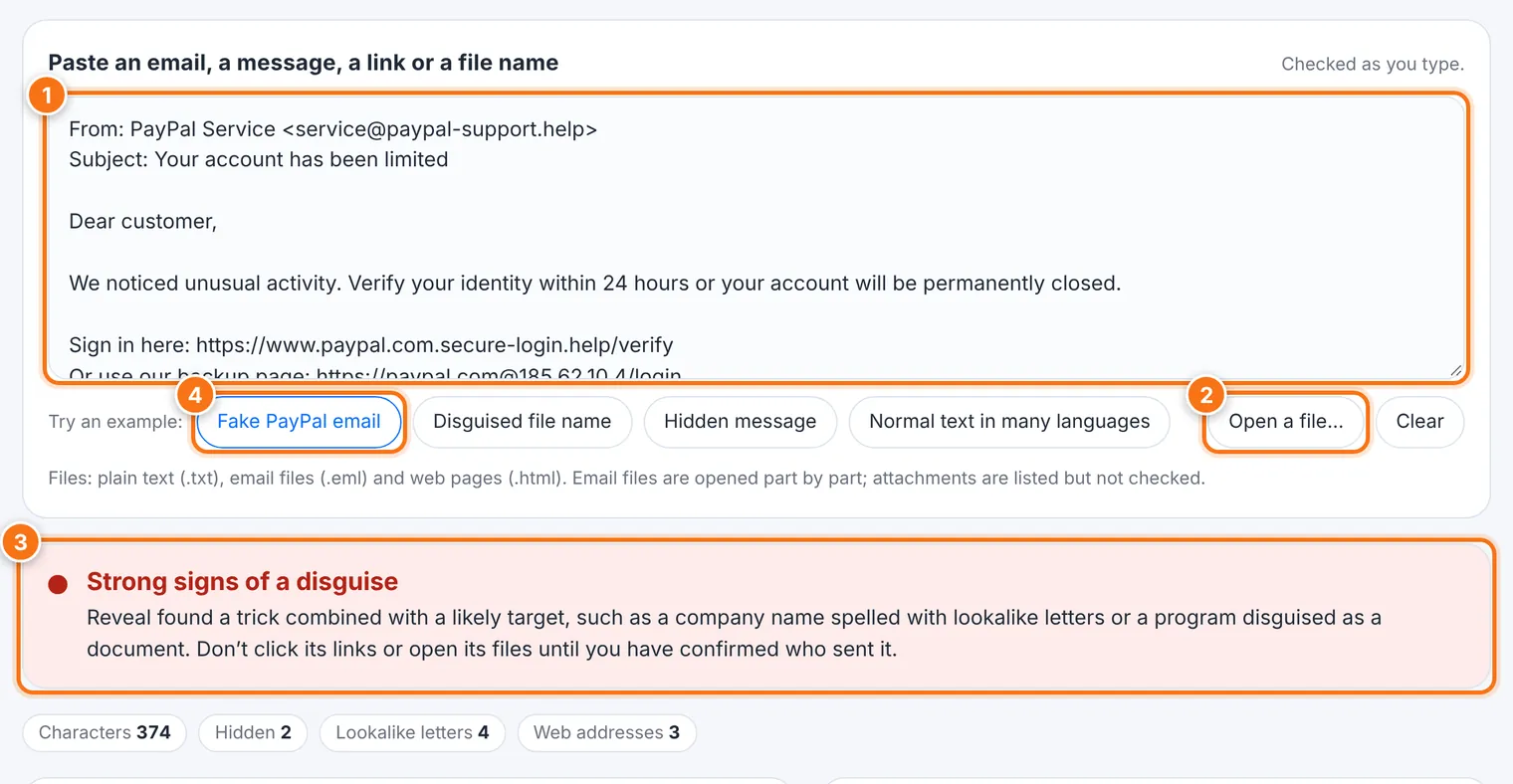
Paste an email, a message, a link or a file name into the box. It's checked as you type.
To open a file instead, use Open a file…. Reveal reads plain text (.txt), email files (.eml) and web pages (.html).
Read the result at the top, then the details:
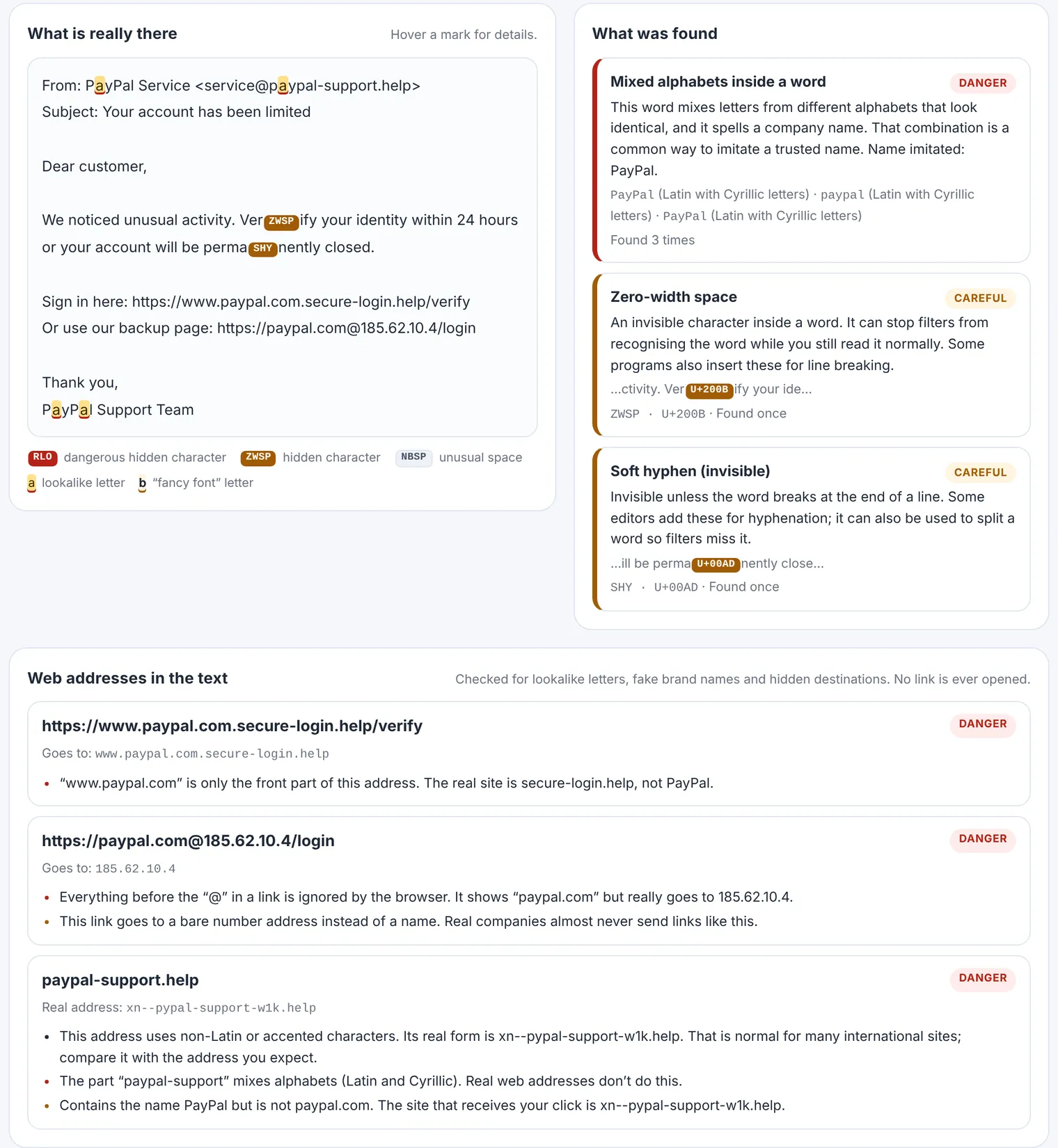
What is really there shows your text with every hidden character made visible. Hover over a mark for details.
What was found explains each finding.
Web addresses in the text lists every link, checked for lookalike letters, fake brand names and hidden destinations.
Not sure how it works? Use Try an example to see a fake PayPal email, a disguised file name, a hidden message, or normal text in many languages.
What the results mean
| Result | What it means |
|---|---|
| Danger | A trick combined with a likely target, such as a company name spelled with lookalike letters, or a program disguised as a document. Don't click its links or open its files until you've confirmed who sent it. |
| Careful | A pattern sometimes used to disguise text, but it can also be innocent. Read the finding and decide whether it fits the message. |
| Note | Unusual characters that are usually harmless. |
| Normal | Characters that belong there, such as joiners inside emoji, spacing in French, or marks in Arabic or Hebrew text. |
The tricks Reveal looks for
Invisible characters split words like Ver·ify so spam filters miss them.
Direction controls reverse how letters are shown, so a program file can look as if it ends in .pdf.
Hidden text in invisible "tag" characters can carry a whole sentence you can't see, but that some programs can read.
Lookalike letters from Cyrillic, Greek and other alphabets are swapped into English words and web addresses.
Disguised web addresses put a brand name in front of someone else's address (paypal.com.secure-login.help), or hide the real destination after an @.
Making a clean copy
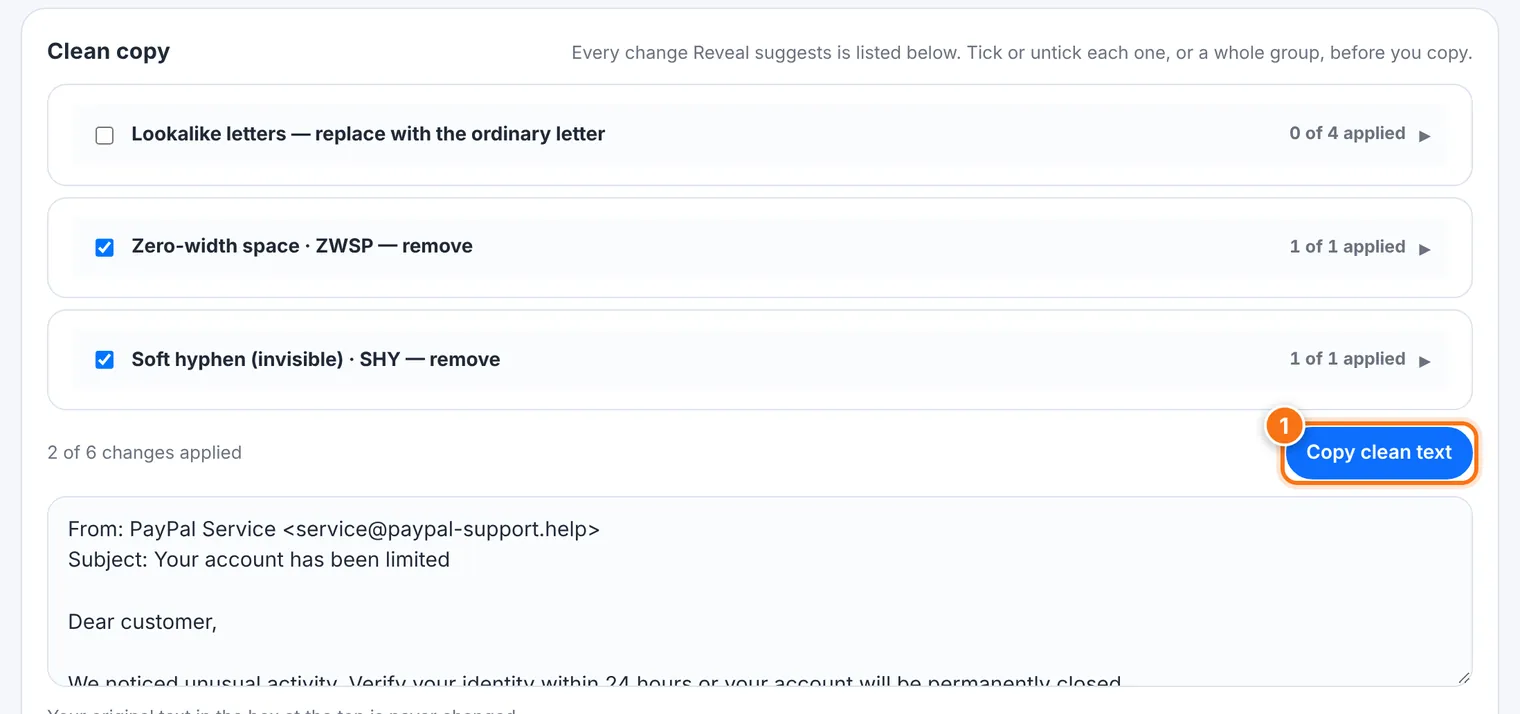
Under Clean copy, Reveal lists every change it suggests. Tick or untick each one, or a whole group, then press Copy clean text. Your original text in the box at the top is never changed.
What it does not do
A clean result doesn't prove a message is honest. It only means none of these tricks were used. A scam can use a perfectly ordinary address that simply isn't the company's.
It never opens links, so it can't see where a link finally leads.
Its list of companies is short. An address that isn't flagged still deserves a second look if you weren't expecting the message.
It doesn't check attachments inside an email file. It lists them so you know they're there. To check what an attachment really is, use File Truth.
It reads web pages as source text, so text hidden with colors or tiny fonts shows as ordinary text and isn't flagged.
Common problems
| Problem | What to do |
|---|---|
| "That file is larger than 5 MB" | Paste only the part you want to check. |
| "The file couldn't be read as text" | Copy the text and paste it into the box instead. |
| "This browser is too old for alphabet checks" | Update your browser, or use a newer one. Other checks still work. |
| My normal text in another language is flagged | Look at the severity. Note and Normal findings are usually harmless. |