Part 2: Check It
Chapter 12: Fingerprint
What it does. Fingerprint makes a unique code for a file, called its fingerprint. If even one byte of the file changes, the fingerprint changes completely. You can save the fingerprint now, and later check that the file is exactly the same. Everything happens on your device.
When to use it.
Checking that a download is genuine, such as the Suite itself (see 1.4).
Proving a contract, photo or report hasn't been changed since you sent or stored it.
Checking a backup copy against the original.
The page has two tabs: Generate and Verify.
Making a fingerprint
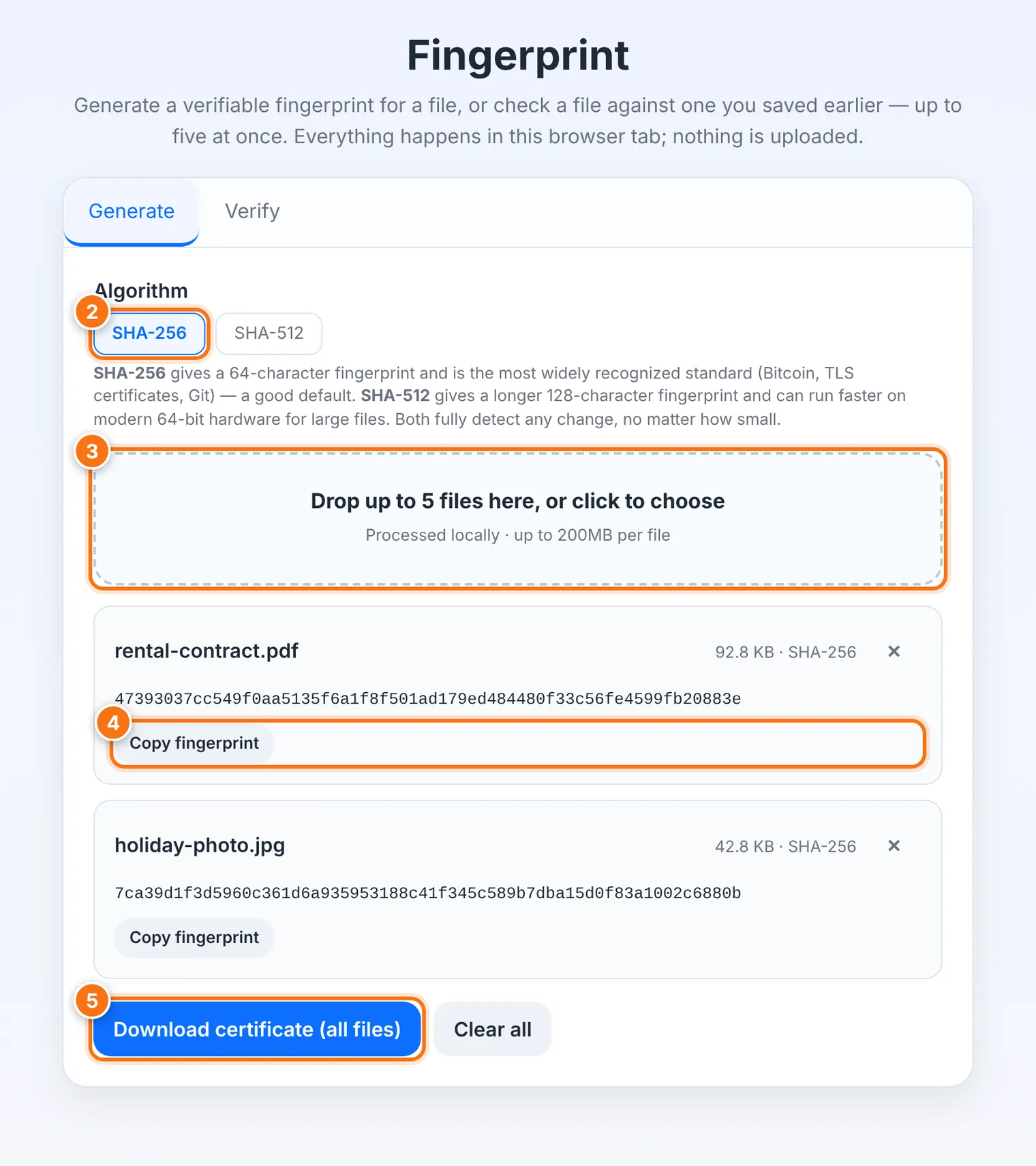
Choose the Generate tab.
Choose an Algorithm. SHA-256 is the most widely recognized and a good default. SHA-512 makes a longer fingerprint and can be faster for large files. Both detect any change.
Drop up to 5 files onto the box, or click it to choose them.
Each file's fingerprint appears. Use Copy fingerprint to copy one.
To keep a record, press Download certificate (all files). The certificate is a text file listing each file's name, size, algorithm, fingerprint and the date.
Checking a file
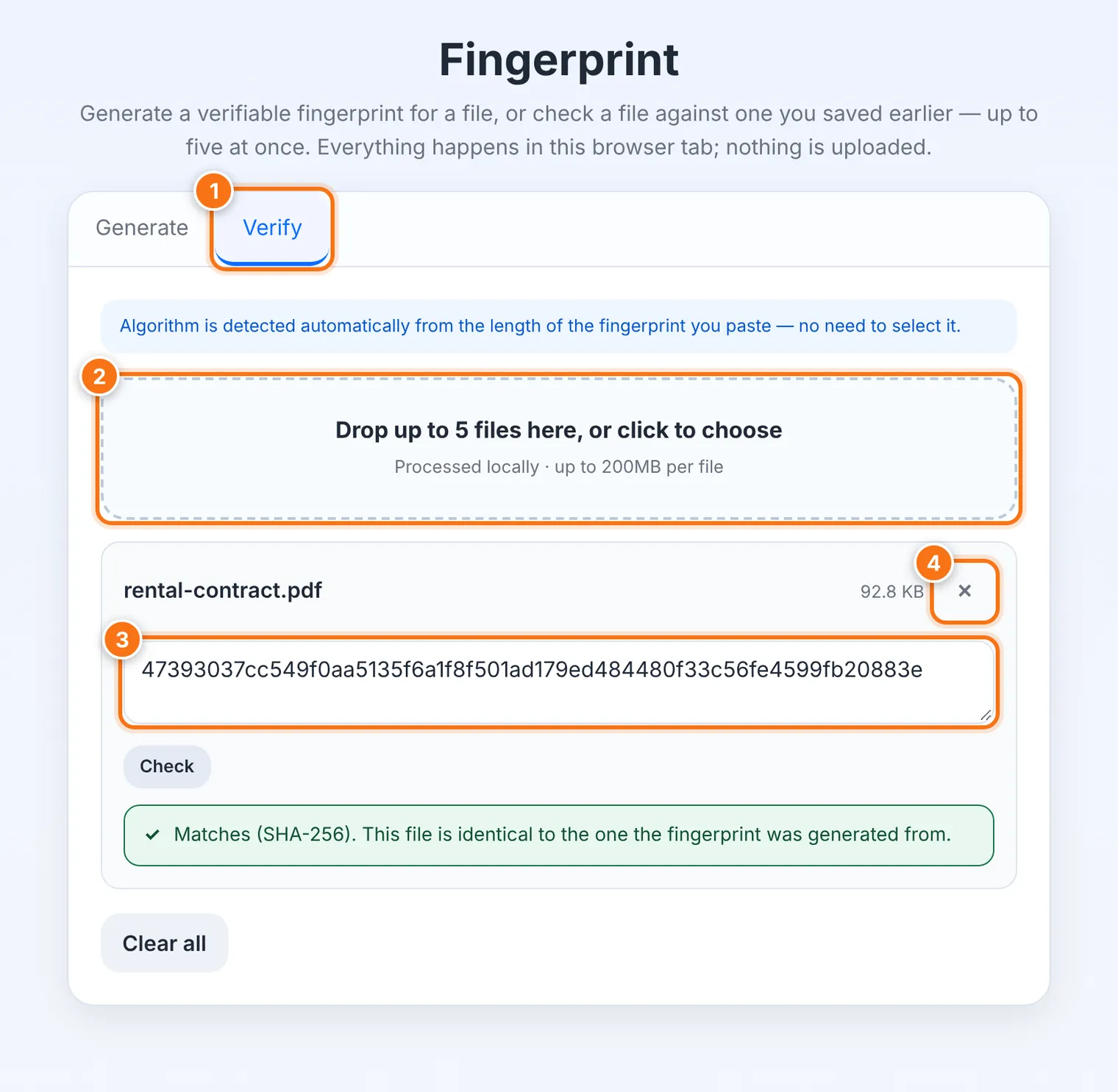
Choose the Verify tab.
Drop in the file you want to check.
Paste the fingerprint you saved earlier into Paste the fingerprint to check against. You don't need to choose the algorithm; Fingerprint tells from the length.
Press Check.
Matches means the file is byte-for-byte identical to the one the fingerprint came from. Does not match means something changed, even if it's only one byte.
What it does not do
It doesn't tell you whether a file is safe, only whether it's the same. A harmful file has a fingerprint too. To see what a file really is, use File Truth.
It doesn't lock or hide the file. A fingerprint can't be turned back into the file, so it's safe to share.
Common problems
| Problem | What to do |
|---|---|
| "That doesn't look like a SHA-256 or SHA-512 fingerprint" | Some characters may be missing. Copy the whole fingerprint again. |
| "Does not match" for a download | Delete it and download again from the official site. If it still doesn't match, don't use it. |
| "Limit reached (5 files)" | Remove a file, or check the rest in a second round. |